
MultiverseAI Logo
    Public Beta — AI Automation Platform

    Build agentic AI workflows.

    Create AI agents and wire them into visual, multi-agent workflows — on GPT, Claude, Gemini and more, connected to the tools you already use. No code required.

    Why MultiverseAI

    Made for how your team actually works.

    From fast-moving startups to structured enterprises, MultiverseAI adapts to your team's real-world workflows — not the other way around.

    Three white cables plugged into the ports of a smooth white hub

    One platform.
    Every model.

    [ Public beta ]
    97 tools · 50 integrations
    • Multi-model chat
    • Visual workflow builder
    • Custom AI agents
    • Scheduled & webhook runs
    • Public REST API + MCP
    • Native macOS app
    Maya · Operations

    Summarise yesterday's support tickets and post the top 3 to #support

    Done — posted the three highest-volume issues with links to each ticket.

    google_sheetsslack[ 4 credits ]
    [ Built for teams ]
    A flowchart of rounded tiles joined by arrow rails, one branch splitting in two
    55+
    workflow node types
    • GPT, Claude, Gemini, Grok
    • Slack, Meta, Google, GitHub
    • Schedules, webhooks, chat triggers
    • macOS app, REST API, MCP
    A grid of small tiles joined by silver links into a mesh, one tile raised at the centre
    23
    integrations,
    your own accounts
    Small app tiles joined by cables that converge into one hub tile

    “We didn't re-invent the wheel. We re-imagined it.”

    — AW3 Technology, the studio behind MultiverseAI
    What you get

    Everything you need to build with AI.

    One platform for models, agents, workflows and the services they talk to — from a single prompt to scheduled automation.

    Multi-model AI access

    GPT, Claude, Gemini and more behind one chat, one API key and one bill.

    • Switch models mid-conversation
    • Images, video and speech included
    • Pay per use, 1 credit = $0.01
    Seven glossy spheres linked to one central sphere by thin filaments — many models, one hub

    Visual workflow builder

    Drag 55+ node types onto a canvas, or describe the workflow and let the AI draft it.

    • Conditions, loops and branches
    • Schedules, webhooks and chat triggers
    • Runs on the server, not your laptop
    A flowchart of rounded tiles joined by arrow rails, one branch splitting in two

    Custom AI agents

    Agents with their own instructions, memory and 97 tools, deployed across your workspace.

    • Scheduled and on-demand runs
    • Approval gates before anything is sent
    • Shared with your team
    A row of identical capsule-shaped units, each with a single status light

    Integrations and security

    50 connected services, end-to-end encryption and audit logs on every run.

    • Slack, Meta, Google, GitHub and more
    • Your own API keys stay yours
    • Access controls and audit logs
    A grid of small tiles joined by silver links into a mesh, one tile raised at the centre
    How it works

    From a blank canvas to a running automation.

    Three steps, no code. Each one is the real flow in the product — not a simplified diagram.

    1. Three white cables plugged into the ports of a smooth white hub

      [01]Connect your models and tools

      ~2 minutes · Connections tab

      Bring your own API keys or run on platform credits at 1 credit = $0.01. Link any of the 50 integrations — Slack, Meta, Google, GitHub, Telegram and more — once, and every agent, workflow and API call acts through your own accounts.
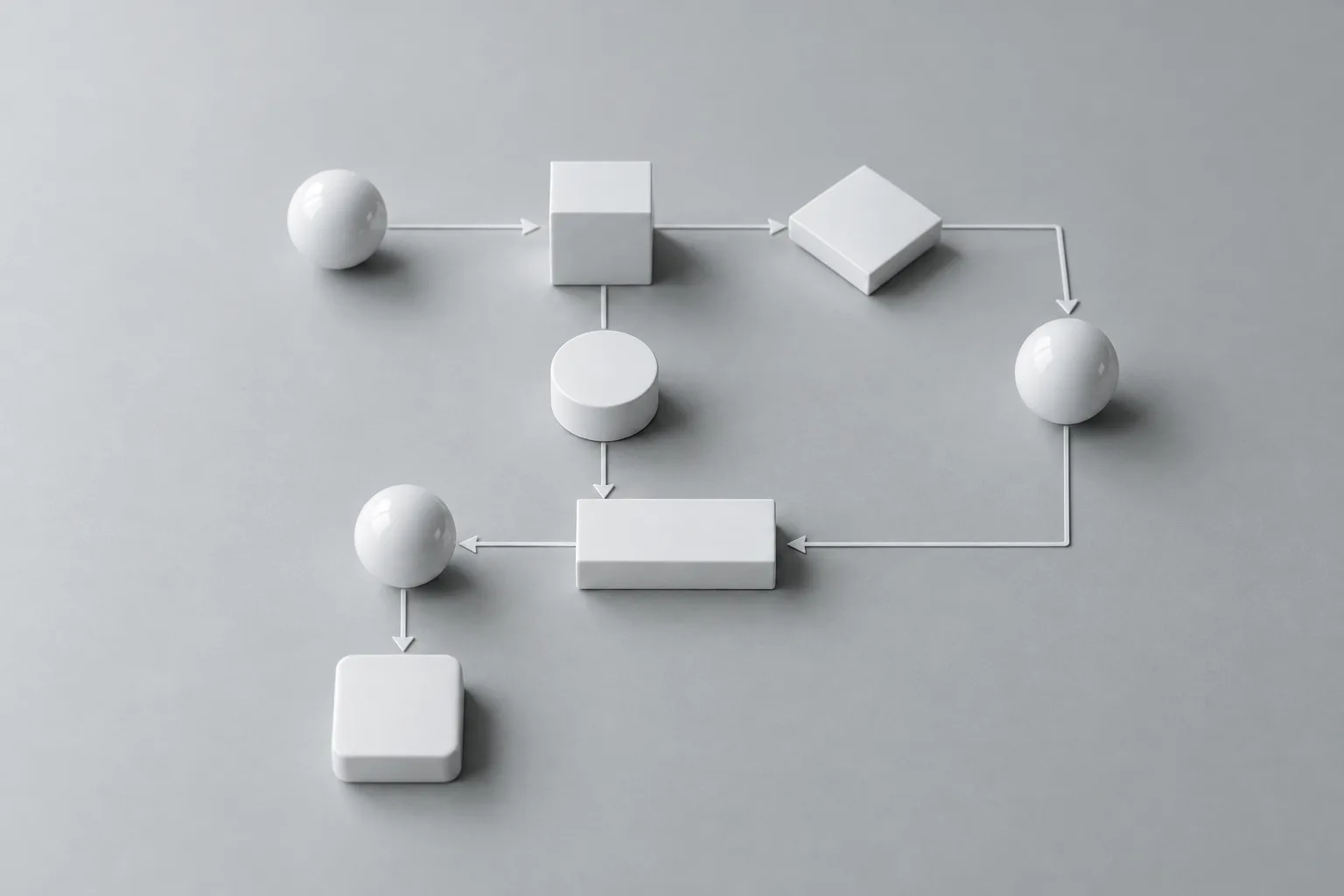
    2. White blocks and spheres laid out as a flowchart with arrows on a grey table

      [02]Design the workflow

      One sentence · or 55+ node types

      Describe what you want and the AI Workflow Builder drafts the graph; the canvas validates it before you save. Or build by hand with 55+ node types — AI steps, conditions, loops, HTTP, files, databases and chat interfaces — and chain them however you need.

    3. A blurred corridor of white server racks with small status lights

      [03]Run it, on a schedule or from chat

      Schedule · API · Mac app · chat agent

      Runs execute on the server, so nothing depends on an open browser tab. Trigger them on a cron schedule, through the API, from the Mac app, or by asking the chat agent — which has the same 97 tools and can run, inspect and fix workflows for you.

    Use cases

    Built for every kind of work.

    The same models, agents and workflows applied to the jobs teams actually run every week.

    [01]

    Content creation

    Generate blogs, social posts, marketing copy and documentation at scale, then publish through the channels you have connected.

    • Blog post generation
    • Social media campaigns
    • Product descriptions
    • Technical documentation
    [02]

    Data analysis

    Extract insights from documents, analyze trends and turn the results into reports and charts.

    • Document analysis
    • Market research
    • Competitive intelligence
    • Data visualization
    [03]

    Customer support

    Automate first responses, classify tickets and route conversations from Slack, Messenger, WhatsApp or Telegram.

    • Automated responses
    • Ticket classification
    • Sentiment analysis
    • Knowledge base creation
    [04]

    Development

    Code generation, review, documentation and debugging — with GitHub and your own API in the loop.

    • Code generation
    • Bug analysis
    • API documentation
    • Test case creation

    [ 97 agent tools · 50 integrations · 55+ workflow nodes ]

    Integrations

    Connects to the tools you already use.

    50 services, connected once through your own accounts — every agent, workflow and API call acts through them.

    Pricing

    Pay for what you use. Nothing you don't.

    Start with 100 free credits, buy packs that never expire, or subscribe for monthly credits and team features.

    Free
    $0/month

    Get started with basic access

    • 100 free credits to start
    • Access to basic AI models
    • Basic workflow builder
    • Community support
    • Standard integrations
    Enterprise
    Custom

    Custom solutions for large organizations

    • Custom credit allocation
    • All AI models, custom routing
    • Enterprise workflow tools
    • Dedicated support team
    • Custom integrations
    • SSO, SAML & advanced security
    • Custom analytics & reporting
    • Custom SLA

    Need custom pricing?

    Tell us about your volume, team size and timeline. We'll put together a plan that fits.

    [ 1 credit = $0.01 · usage billed at provider cost + 50% ]
    Get Started Today

    Ready to supercharge your team with AI?

    Start building amazing things with MultiverseAI today. Try it free and see the difference.

    100 free credits to start
    No credit card required
    Cancel anytime
    Latest writing

    Insights & Articles

    Field notes on multi-model work, agents, and the automation that holds it together.

    FAQs

    Answered questions. Everything you might want to know, up front.

    Four 3D chat bubbles floating in a thread, one with an unread dot

    Still have questions?
    We can help.

    Email us and we'll get back to you as soon as possible.